Thumbtack for Professionals
- 3.2
- Rating
- 1.00M
- Installs
- Free
- Price

 Analysis by App-foxy
Finding customers is often harder than doing the actual work. That is the problem Thumbtack for Professionals tries to solve: it gives service providers a place to discover people who are already looking for help, then gives them a way to turn those opportunities into conversations and possible jobs. I approached it as a working professional rather than as a casual customer, and my impression is that it can be useful when your business depends on a steady flow of local inquiries, but it requires discipline to make that flow worthwhile.
This is a free Business app from Thumbtack, aimed at professionals rather than people simply booking a service. It is available to Everyone, works on devices running Android 9 or newer, and the current version is 457.0. The app has passed the one-million-install mark, with an average rating of 3.2 from around twenty-five thousand ratings and roughly fifteen thousand written reviews. Those figures suggest a sizeable user base, but also a mixed experience, so I would not treat installing it as a guarantee of easy leads or predictable income.
How Thumbtack for Professionals fits into a working day
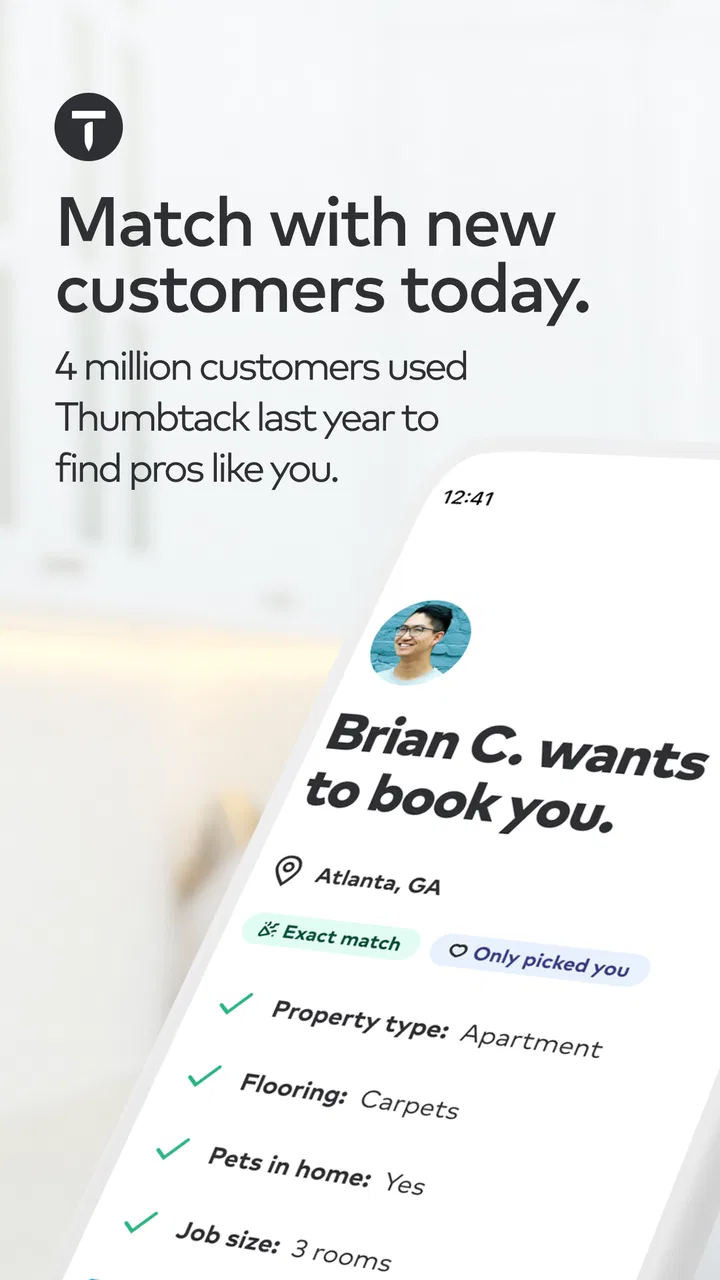
The basic idea is straightforward. You create a professional presence, identify the services you offer, and look for customer requests that match your work. Instead of waiting for someone to find your own website, social profile, or phone number, you use the marketplace as another route to people who are actively considering a service.
You May Also Like

 Blood Strike: 2.5 Anniversary
Blood Strike’s Loadouts Turn Every Drop Into a Tactical Gamble
A close look at Blood Strike’s custom loadouts: how fast access to signature weapons reshapes its battle royale rhythm, rewards preparation, and narrows the gap between fights.

 Pandora - Music & Podcasts
Pandora’s Music Is Easy to Start, but Harder to Recover
Pandora’s strength is its low-effort path from a seed to a station. Its weak spot is how much confidence it asks you to place in connection, setup, and quiet recovery.

 8 Ball Pool
 Is Built on Rivalries, Rematches, and Routine
A close look at the rivalries, rematches, shared routines, and unanswered safety questions that turn a quick pool match into a persistent mobile community.

 Samsung Music
’s Quiet Strength Is Playing What You Already Own
Its reach comes less from spectacle than from dependable access to a personal library. That simplicity is both the app’s strongest retention engine and its ceiling.

 AccuWeather: Weather Radar
AccuWeather Review: A Quick, Clear Forecast for Everyday Decisions
For everyday plans, the best forecast is the one you can understand quickly. AccuWeather makes rain timing, radar, and local conditions easy to act on, with a few trade-offs.

 Hill Climb Racing
Why Hill Climb Racing Still Turns Crashes Into One More Run
A tiny car, a bumpy hill and one more upgrade: Hill Climb Racing keeps resurfacing because its simple chaos makes every near-miss feel personal.
More From Our News Desk



That makes the app different from a simple business directory. A directory mainly helps someone locate you after they have decided to search for your company. Thumbtack is more active: it places customer opportunities in front of professionals and encourages a response. In practice, that changes the job from “maintain a listing” to “monitor demand, judge fit, reply quickly, and follow up professionally.”
I think the most important mindset is to treat it as a lead-management tool, not as an automatic booking machine. A request may look promising and still be unsuitable because of distance, timing, budget, scope, or competition from other providers. The app can shorten the path to a potential customer, but you still have to qualify the request and sell your own service.
For a cleaner, photographer, tutor, handyman, moving professional, event provider, or another local service specialist, that distinction matters. Your results will depend on how clearly you describe what you do and how carefully you choose the opportunities you pursue. A broad profile may attract more attention, but a focused one can make it easier for the right customer to understand why you are a match.
The first setup decisions affect the quality of opportunities
When I evaluate an app like this, I pay close attention to the first choices it asks a professional to make. Service categories, location, availability, and the type of work you accept are not cosmetic details. They shape whether the requests you see are realistic for your business.
A useful approach is to define your working boundaries before responding to anything. Decide which jobs are worth travel, which project sizes you can handle, and which time windows you want to protect. Without those rules, it is easy to spend time answering requests that were never likely to become profitable work.
Another practical tip is to write your profile for a customer who knows little about your trade. Avoid relying only on a job title. Explain the kind of problem you solve, what a customer should prepare before contacting you, and what makes a request a poor fit. This can reduce unnecessary back-and-forth and make your replies feel more confident.
A realistic example of using it during a busy week
Imagine I run a small home-maintenance business and have one open afternoon next week. Rather than accepting every request, I would use that window as a filter. I would look for a job close enough to avoid losing the afternoon in travel, check whether the description includes enough information to estimate the work, and reply only when the scope matches my tools and experience.
My first message would not be a generic “I can help.” I would confirm the main task, ask for the detail that changes the estimate, state when I am available, and explain the next step. That approach is more useful than sending the same message to every customer because it shows that I have read the request. It also helps me identify vague or unrealistic projects before I commit time.
If the customer does not respond, I would move on instead of repeatedly chasing the conversation. The app is most valuable when it supports a repeatable process: check opportunities at planned times, qualify quickly, send clear replies, and record which types of requests turn into actual work. That last step is easy to overlook, but it helps reveal whether a particular service category is producing worthwhile leads.
What the free access is worth
The confirmed purchase fact is simple: the app itself is free to download. That removes the initial barrier for a professional who wants to test the marketplace, create a presence, and see whether the available demand fits their business. It is reasonable to try it without treating the installation as a major financial commitment.
Free access does not automatically mean free customer acquisition or guaranteed value from every interaction. A professional should separate the cost of having the app from the broader cost of pursuing work through a marketplace. Time spent reading requests, preparing replies, speaking with prospects, traveling, and quoting all has business value even when the app costs nothing to install.
Because the app is free, the right test is not “Can I download it without paying?” The better question is “Does the work I win through it justify the time and any business effort I put into responding?” I would start with a limited trial of my own time. Set a weekly response window, focus on the services with the clearest profit margin, and review the outcome after enough conversations to notice a pattern.
I would also avoid building my entire customer pipeline around one marketplace. Free access makes Thumbtack easy to test, but it should complement referrals, repeat customers, local search, social media, and a direct contact channel. Owning several ways to attract work gives you more control than relying on any single source of inquiries.
Where the app can deliver practical value
The strongest value is convenience. A new or growing professional may not yet have strong visibility in local search, and building a website or advertising system takes time. A marketplace can provide a faster starting point by bringing service requests into one working environment.
It can also help a solo operator learn what customers are asking for. Repeated requests may reveal which services are in demand, what language people use to describe their problems, and which details they expect before choosing someone. That insight can improve your profile, pricing conversations, and even the way you describe services elsewhere.
A less obvious benefit is the chance to test a new service without immediately rebuilding your entire business identity. If you already provide related work, you can observe whether customers respond to an additional offering. I would still be careful: a request is evidence of interest, not proof that the service is profitable or operationally suitable.
The app may be especially helpful during quiet periods. If your normal referral stream slows down, checking relevant requests can give you another route to fill gaps. That does not mean accepting poor-fit work. It means using the marketplace selectively, with a clear minimum standard for travel, effort, and expected return.
Why the rating deserves a careful reading
The 3.2 average rating indicates that the experience is not universally smooth. I would read that as a reason to manage expectations rather than as an automatic rejection. Marketplace apps often create tension between professionals seeking worthwhile work and customers seeking quick, affordable help. A feature that feels useful to one side can feel restrictive or frustrating to the other.
For a professional, the practical lesson is to judge the app by completed business outcomes, not by the number of notifications or conversations. A busy inbox can still represent poor value if most requests are outside your area, below your minimum job size, or unlikely to respond.
I would also keep my own records outside the app. Note the type of request, response time, estimated effort, outcome, and whether the customer was a realistic fit. This gives you a clearer picture than relying on impressions after a particularly good or bad day. It is one of the most useful habits for deciding whether continued use makes sense.
Tradeoffs that matter before committing your time
The main tradeoff is reach versus control. Thumbtack can expose you to people you might not reach through referrals, but you have less control over how many professionals are competing for the same opportunity and how the customer compares them. Your profile and communication therefore matter, but they cannot remove marketplace competition.
Another tradeoff is speed versus detail. Customers often want a quick reply, while professionals need enough information to decide whether a job is worthwhile. Responding too slowly may lose attention; responding instantly with an unqualified promise can create problems later. I prefer a short first response that confirms interest while asking one or two questions that genuinely affect the job.
There is also a risk of accepting work that looks attractive only because the calendar is empty. A distant, complicated, or poorly defined project can consume more time than expected. Before replying, I would estimate the complete commitment: travel, preparation, materials, communication, and the possibility that the customer needs more explanation than the request suggests.
When the usual alternatives may be better
Thumbtack is not always the best channel. If most of your work comes from repeat customers, a direct booking process may be more efficient and give you a stronger relationship. If you already rank well locally and receive steady inquiries through your own website or phone, another marketplace may add administration without adding enough quality demand.
Referrals can also be better for high-trust services. A personal recommendation often gives a prospect more confidence than an unfamiliar marketplace profile, especially when the work involves a home, a large project, or a sensitive personal need. Social platforms may be more useful for visually driven businesses that win customers through a strong portfolio.
On the other hand, a professional with no established audience may find a marketplace more approachable than building every marketing channel from scratch. The choice depends on your stage of business. I see Thumbtack as a supplementary acquisition tool for most established providers and a possible starting point for newer ones, not as a universal replacement for direct relationships.
Who should use it, and who should be cautious?
I would recommend trying it if you offer a clearly defined local service, can respond consistently, and are comfortable qualifying inquiries. It is also a sensible option if you want to test demand in a new area or find work during slower periods without immediately investing in a complete marketing setup.
It is less suitable if your work is highly specialized and customers need extensive education before they can describe what they want. It may also frustrate you if you dislike competition, have very limited availability, or cannot respond within a reasonable working routine. A marketplace creates opportunities, but it also asks you to make quick judgments and communicate with people who may contact several professionals at once.
Professionals with strict travel limits should be especially selective. A nearby request can be valuable; a similar request that requires a long trip may not be. I would define a service radius based on actual profit rather than on how far I am willing to drive in theory.
New users should also decide what success means before starting. Is the goal to fill two empty appointments, build a repeat-customer base, learn about demand, or simply test a new service? Each goal requires a different response strategy. Without a clear goal, it is easy to mistake activity for progress.
My verdict for professionals
After looking at Thumbtack as a working tool, I see a useful but demanding marketplace rather than a magic source of customers. The free app makes experimentation accessible, and its focus on service requests can be more practical than waiting for a general business listing to produce results. For the right professional, it can add a valuable stream of conversations.
The value depends on selection and follow-through. I would use it with a focused profile, a defined service area, a minimum job standard, and a simple method for tracking which inquiries become worthwhile work. I would not answer everything, promise availability before understanding the project, or let the app replace referrals and direct customer relationships.
My recommendation is to try it if you have capacity and a service that customers can describe clearly. Give it a structured test, judge the quality of opportunities rather than the volume, and keep the channel only if the resulting work makes business sense. If you already have a reliable direct pipeline or need complete control over customer acquisition, your existing alternatives may serve you better.
In short, Thumbtack for Professionals is best treated as a selective lead source, not a guaranteed booking system. Its free entry makes it worth exploring, but your time remains the real investment. Used carefully, it can help a professional reach new customers; used without filters, it can turn a promising marketplace into another noisy inbox.
The app is developed by Thumbtack, released on November 18, 2015, and remains available for Everyone on compatible devices. I would recommend it to practical, organized service providers who are willing to measure results honestly. For anyone expecting effortless customers simply because the app is installed, I would suggest skipping it or choosing a more direct route instead.
FAQs for Thumbtack for Professionals
01What is Thumbtack for Professionals used for?
Thumbtack for Professionals is a business platform that helps service providers find potential customers looking for local work. Professionals can create a profile, list their services, set service areas, display photos and reviews, and respond to customer requests. It is designed for tradespeople, cleaners, tutors, event specialists, wellness providers, and many other independent businesses.
02How do professionals get leads on Thumbtack?
Leads generally arrive when customers post projects or search for a service that matches your profile, location, availability, and selected preferences. You can review the request details before deciding whether to respond. Lead availability and quality can vary considerably by location, category, competition, budget, and the completeness of your profile, so results are not guaranteed.
03Does Thumbtack for Professionals charge money to use the app?
Downloading the app and creating a professional profile may be free, but contacting certain customer leads can involve charges or a lead budget depending on the service category and current Thumbtack policies. Pricing can differ based on the type of project and market. Review the cost shown before responding, and remember that paying for a lead does not guarantee that the customer will hire you.
04Can I manage customers and bookings from the Thumbtack app?
The app provides tools for handling many parts of the customer journey, including viewing requests, messaging prospects, sending estimates, managing conversations, and organizing appointments or job details where supported. It can make communication more convenient while working away from a desk. However, available features may differ by location, category, account type, and updates to the platform.
05Is Thumbtack for Professionals worth downloading for a small business?
Thumbtack can be useful for professionals who want an additional source of local inquiries and are willing to monitor lead costs, respond quickly, and maintain a strong profile. Reviews, clear pricing, attractive work samples, and reliable communication can improve credibility. It may not suit every business, especially if lead costs are high in your area, so compare results with referrals and other marketing channels.
Pros
- Leads can include detailed project descriptions and customer preferences.
- In-app messaging keeps client communication organized and easy to track.
- Professionals can showcase photos
- services
- and customer reviews.
- The app supports multiple service categories from one professional account.
- Business profile updates can be made quickly from a mobile device.
Cons
- Lead costs can add up even when a customer does not hire you.
- Competition may be intense in popular service categories and locations.
- Some leads may have incomplete details or unrealistic customer expectations.
- Availability of features and leads varies significantly by service area.
- You may need to respond quickly to avoid losing promising opportunities.

Thumbtack for Professionals
Gallery